Smart Motion · CANopen Servo Drive Solutions

CANopen Drives. Intelligent Motion Control.

CANopen servo drive solutions with CiA 301 and CiA 402 support for robust communication, flexible machine integration and precise motion control.
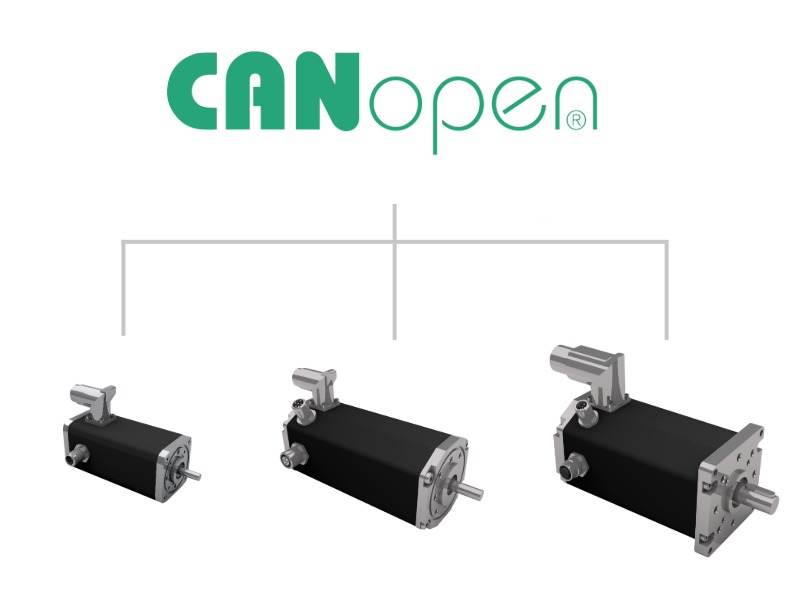
CANopen motor drives with integrated fieldbus communication available in multiple sizes for industrial automation and machine-building applications.
10 to
5000 W
Scalable power range
CiA 301 & CiA 402 Standardized integration
STO Integrated functional safety
Integrated & External CANopen Solutions

Standardized communication for intelligent and decentralized motion control

CANopen provides a standardized communication structure for controlling, configuring and monitoring devices over a CAN network. It defines how process data, parameters, operating states and diagnostic information are exchanged between the machine controller and the drive.

Dunkermotoren combines CANopen with compact BLDC servo motors and external dPro controllers. Both architectures support precise velocity, torque and position control while simplifying the integration of intelligent drives into embedded machines and decentralized automation systems.

Core Advantages

Designed for robust communication, standardized drive control and flexible machine integration.

Standardized CANopen Integration

CiA 301 defines a consistent communication model for parameter access, process data, network states and diagnostics across compatible CANopen devices.

CiA 402 Drive Profile

Standardized Controlword, Statusword, drive states and operating modes simplify the integration of servo drives into machine control software.

QuickStart Control

Dunkermotoren QuickStart commands control complex drive functions with a single command, reducing programming effort and enabling faster implementation of the drive unit.

Flexible Drive Architecture

Choose compact motors with integrated control electronics or external controllers for separated, accessible and application-specific drive architectures.

Structured Drive Diagnostics

Heartbeat monitoring, Emergency Messages and diagnostic objects help controllers detect missing devices, communication errors and drive faults.

Proven CANopen Experience

More than 25 years of experience and over 600,000 delivered devices provide a proven foundation for reliable CANopen drive solutions.

Architecture Paths

Integrated intelligence or flexible external control

CANopen motors with integrated controller

Dunkermotoren smart servo motors combine the BLDC motor, power electronics, feedback processing, motion controller and CANopen communication in one compact drive unit.
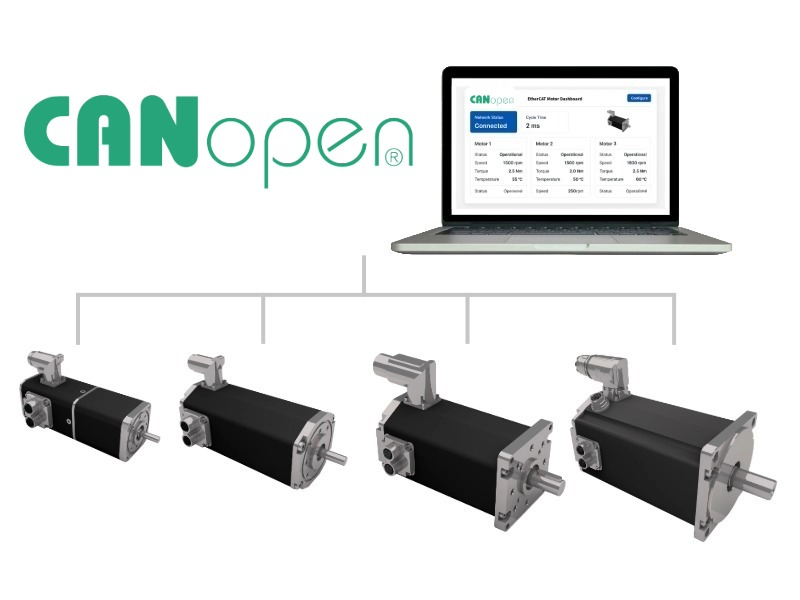
  • BG 45 Move/dPro CO: Compact CANopen servo drive for limited installation space and decentralized motion axes. 
  • BG 66 Move/dPro CO: Versatile mid-range drive for handling, transport and synchronized automation tasks. 
  • BG 75 Move/dPro CO: High power density for dynamic and demanding continuous-duty applications. 
  • BG 95 Move/dPro CO: High-output integrated drive for applications requiring maximum torque and peak power within the BG dPro portfolio. 
CANopen fieldbus network for intelligent motor control, real-time diagnostics, and industrial automation systems.

CANopen control for modular drive systems

External dPro controllers separate the motor from the control electronics. This provides greater flexibility when the electronics must be installed in a protected location or when specific motor and feedback combinations are required.

The architecture also supports applications where centralized access to the controller simplifies commissioning, service and thermal management.
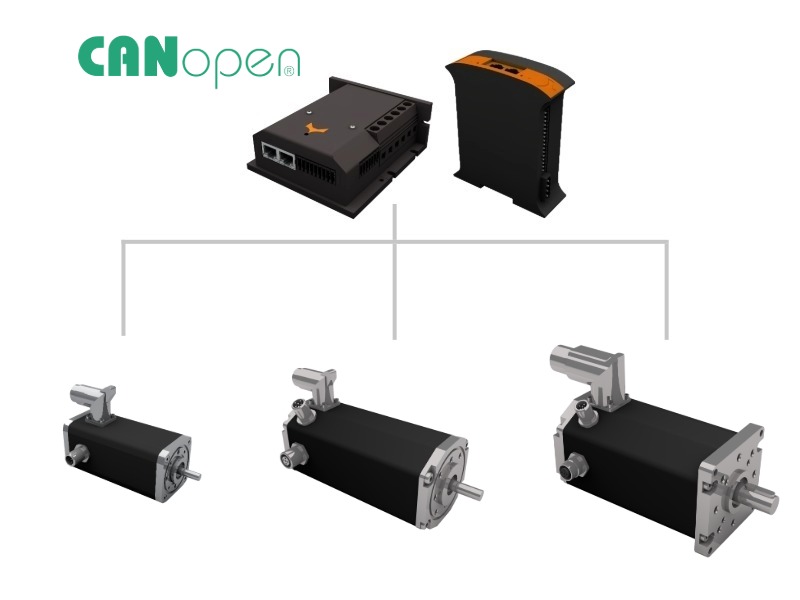
  • The Controller Link: The external controller provides the same dPro software environment, communication model and diagnostic access while keeping the electronics separate from the motor. 
  • When to choose this path: Use an external controller when electronics should be protected from heat, vibration or restricted installation space, or when a centralized cabinet layout is preferred.
“CANopen motor control system with industrial controllers and brushless DC motors for networked automation and motion control applications.
Decision Guide

How to Choose the Right CANopen Drive Architecture

The right CANopen setup depends on where drive intelligence should be located, how the CAN network is structured and which motor, feedback and diagnostic functions are required. Use integrated dMove / dPro CO drives for compact decentralized motion control or combine compatible motor setups with the BGE 5510 or BGE 8060 dPro CO when the electronics should remain separated from the motor.

Choose integrated dMove / dPro CO

If the motor, control electronics and CANopen interface should be combined into one compact smart drive unit.

Cabinet space is limited and decentralized motion control is preferred directly at the mechanical axis.
Wiring effort should be reduced by combining motor, encoder, power electronics and controller in one unit.
Local drive intelligence is required for positioning, velocity control, diagnostics or MotionCode sequences.

Choose BGE 5510/8060 dPro CO

If a split architecture is required, where the motor and CANopen control electronics are installed separately.

Thermal conditions are demanding and the control electronics should be kept away from the motor location.
Centralized service access is preferred for commissioning, parameterization, maintenance and troubleshooting.
Motor flexibility is important and different motor, encoder or feedback combinations must be supported.

Check these system requirements

Before selecting the drive family, define the mechanical, electrical and CANopen communication requirements of the axis.

Power range and voltage level for continuous operation, peak load and the required acceleration profile.
Gearbox, encoder and brake needs based on positioning accuracy, holding requirements and the load profile.
CAN network and process data including bit rate, bus length, Node IDs, termination, EDS files and PDO cycle.

Need help validating your CANopen architecture?

Compare integrated and external CANopen setups in the Product Finder or contact our application engineers for a technical recommendation based on drive sizing, CiA 402 functions, network design and safety.

CANopen Motor Portfolio

Integrated dMove / dPro CO drives and external BGE controllers for scalable motion control.

Build your CANopen architecture around compact smart BLDC motors with integrated drive electronics or use the BGE 5510/8060 dPro CO external controller for split drive systems. Dunkermotoren supports also a modular system for gearboxes, encoders and brakes.

Application Areas

Built for robust, compact and decentralized motion systems

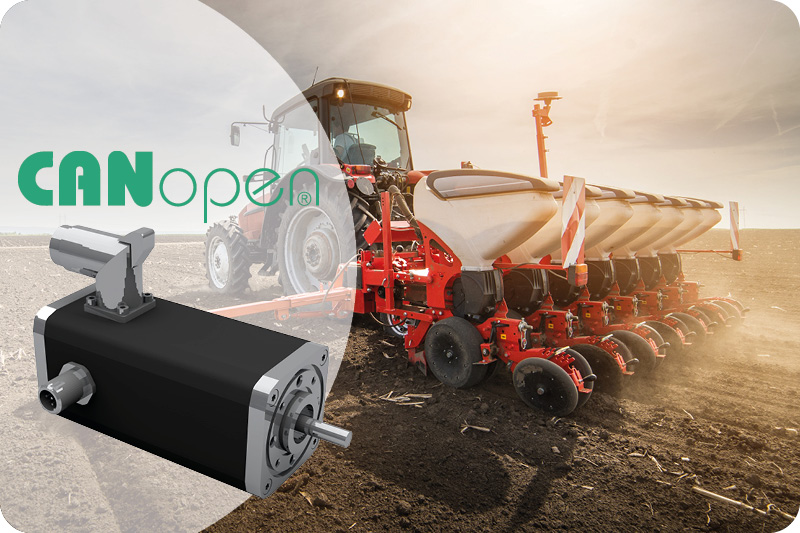
CANopen motor controller for precision agriculture machinery, enabling reliable motion control in automated seeding and smart farming equipment.
Agriculture

Robust motion control for mobile machinery

CANopen is widely used in agricultural and mobile machinery where robust communication, economic hardware and decentralized control are important.
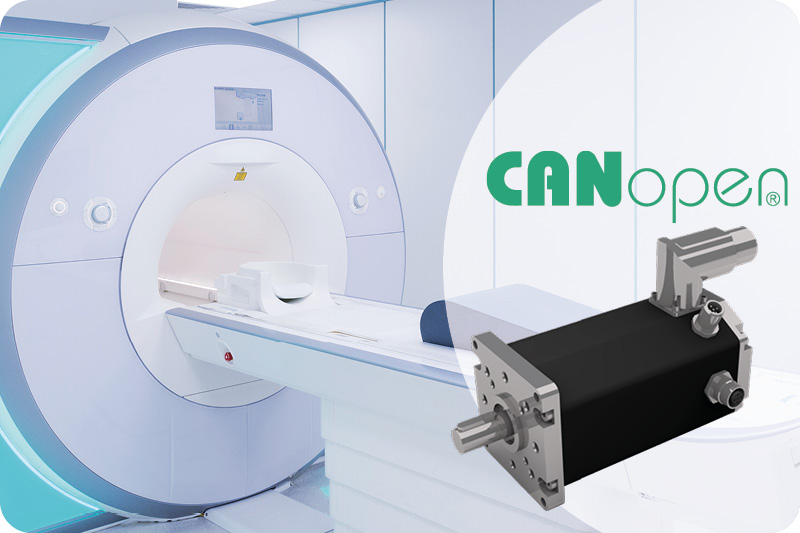
CANopen motor controller integrated into medical imaging equipment, enabling precise motion control for MRI and diagnostic healthcare systems.
Healthcare and Laboratory

Precise drives for medical systems

Compact CANopen drives support controlled movement, structured diagnostics and precise positioning in medical and laboratory equipment.
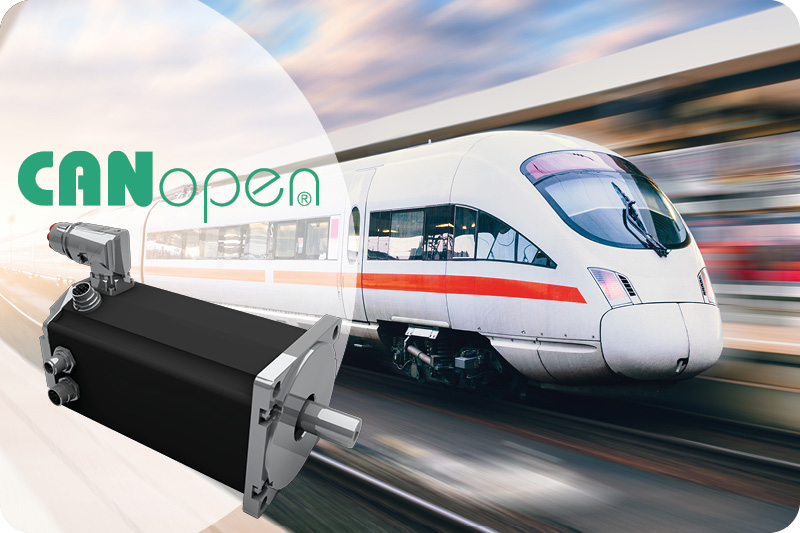
CANopen motor controller for railway and transportation systems, supporting reliable motion control in modern passenger train applications.
Mass Transit and Motive

Reliable automation for transport systems

CANopen supports embedded motion functions in vehicles and transport infrastructure where reliable networking and compact electronic nodes are required.

CANopen Terms Explained

Key engineering terms for CANopen drive systems

CANopen drive systems combine standardized CAN communication, structured parameter access, efficient process data and defined motion control functions. These terms explain how the main technologies work together within embedded and decentralized automation architectures.

CANopen

CANopen is a standardized communication system based on CAN. It defines how controllers, drives and other devices exchange process data, parameters, operating states and diagnostic information within an embedded network.

Standardized CAN communication

CiA 301

CiA 301 defines the CANopen application layer and communication profile. It specifies the object dictionary, network management, process data, parameter access, synchronization and diagnostic communication.

CANopen communication profile

CiA 402

CiA 402 is the standardized device profile for drives and motion control. It defines the drive state machine, Controlword, Statusword, operating modes, setpoints, actual values and relevant drive parameters.

Standardized drive profile

PDO & SDO

PDOs exchange time-critical control and status data with low protocol overhead. SDOs provide confirmed access to individual object dictionary entries for configuration, commissioning and detailed diagnostics.

Process data and parameter access

NMT & Heartbeat

Network Management controls the communication state of every CANopen node. Heartbeat messages report the current device state and allow the controller to detect missing, inactive or disconnected participants.

Device states and node monitoring

Safe Torque Off

Safe Torque Off prevents a compatible drive from generating motor torque. In selected Dunkermotoren dPro solutions, the drive logic can remain powered while torque generation is safely disabled.

Integrated functional safety
Commissioning Workflow

From CAN network setup to controlled motion

Dunkermotoren provides the device description, object dictionary, parameter documentation and commissioning tools required to integrate the CANopen drive into an embedded automation system.

Build the CAN Network

Install the CAN bus cable, shielding and terminating resistors according to the planned topology, cable length and environmental requirements.

Assign Node ID and Baud Rate

Configure a unique Node ID for every CANopen device and select the same communication baud rate for all participants in the network.

Import the EDS File

Import the Electronic Data Sheet into the CANopen engineering tool to access the supported communication parameters and object dictionary entries.

Configure the Drive

Use SDO access to configure the operating mode, direction of rotation, motion limits, ramps, homing method and relevant drive parameters.

Map the Process Data

Assign the required Controlword, Statusword, setpoints and actual values to the available receive and transmit PDO communication.

Configure Node Monitoring

Set the Heartbeat intervals and evaluate Emergency Messages so the controller can detect missing devices and active drive faults.

Enable and Test the Axis

Switch the node to Operational, follow the CiA 402 state sequence and command the first controlled velocity or positioning movement.

Tune and Validate

Analyze actual values, optimize controller parameters and verify the drive, communication and fault behavior under real operating conditions.

Drive Assistant 5

Drive Assistant 5 supports CANopen device detection, Node ID and bit-rate recognition, parameterization, CAN monitoring, online tuning, diagnostics, firmware updates and oscilloscope functions. Compatible drives can also be commissioned without an existing CANopen master.

The Communication Challenge

What problem does CANopen solve?

CAN provides reliable message transmission, but it does not define how a drive is configured, enabled, controlled or diagnosed. Without a standardized application layer, every device requires an individual communication concept.

With Proprietary CAN Communication

Every manufacturer defines individual messages, parameter structures, device states and diagnostic procedures.

  • Manufacturer-specific message identifiers
  • Individual parameter and data structures
  • Custom start-up and enable sequences
  • Separate error and monitoring concepts

With Standardized CANopen

A common communication model creates a structured interface between the machine controller and compatible drive devices.

  • Structured object dictionary and SDO access
  • Efficient process communication through PDOs
  • Defined network states through NMT
  • Standardized drive control through CiA 402
The result: Less device-specific engineering, reusable controller software and a consistent communication structure for parameterization, motion control, node monitoring and drive diagnostics.
Efficient Cyclic Drive Control

Dunkermotoren CANopen Quick Start

Dunkermotoren Quick Start combines extensive drive control with an exceptionally compact cyclic data structure. A single PDO with only 8 bytes of data can execute all motion commands and control many additional motor functions. This high functional density makes Quick Start particularly efficient for applications in which cyclic data volume and PLC programming effort need to remain low.

  • Manage operating modes and start or stop movements
  • Adjust acceleration and deceleration ramps
  • Modify current limits during operation
  • Start homing and execute positioning or velocity tasks
  • Access extensive drive functionality through one compact cyclic data object
1 PDO
8 Bytes of cyclic data
All Motion commands

Operating Mode Management

Select and manage the required drive operating mode within the compact command structure.

Motion Control

Start and stop movements and execute positioning or velocity-related tasks.

Dynamic Parameter Adjustment

Adjust ramps and current limits according to the requirements of the application.

Homing

Start the homing procedure directly through the Quick Start command interface.

Quick Start is a powerful and data-efficient control concept. Compared with CiA 402, it requires significantly less cyclic data and eliminates the need to implement a complex state machine in the PLC. To start a movement, simply send one command and the drive starts immediately.
Flexible PDO Mapping

Exchange exactly the drive data your application needs.

CANopen PDO mapping defines which objects are exchanged as process data between the controller and the drive. Relevant setpoints, actual values and status information can be selected according to the requirements of the machine.

Application-Specific Process Data

Select the objects required by the controller instead of transferring unnecessary information. Receive and transmit PDOs can be structured around the specific motion function of the axis.

Select the Object

Choose the required entry from the drive object dictionary.

Assign It to a PDO

Map the object into the corresponding receive or transmit PDO.

Exchange It During Operation

Transfer the mapped data cyclically, synchronously or by event.

Typical Mapped Drive Objects

The available objects and mapping options depend on the selected device and firmware. Typical PDO content includes control, motion, I/O, operating-state and diagnostic data.

QuickStart Command QuickStart Data Controlword Statusword Target Position Actual Position Target Velocity Actual Velocity Actual Current Mode of Operation Digital Inputs Digital Outputs Application Data
Standardized where possible, configurable where required. Map relevant drive objects into compact PDOs for efficient CANopen process communication.
Local Intelligence with MotionCode

Execute application logic directly at the drive.

MotionCode allows application-specific logic to run directly on compatible Dunkermotoren motors and controllers. Local processing complements CANopen by moving suitable control, sequence and sensor tasks closer to the physical axis.

Local Sequences

Execute repeatable motion and positioning routines directly inside the drive.

Direct Sensor Reactions

Respond locally to digital inputs and connected application signals.

Parameter Processing

Evaluate motor parameters and prepare relevant information for CANopen exchange.

Reduced Bus and PLC Load

Keep repetitive axis functions out of the central controller program.

CANopen Controller

Coordinates machine states, sends motion commands and evaluates process data and drive diagnostics.

CANopen

Smart dPro CO Drive

Executes MotionCode, processes local signals and controls the velocity, torque or position of the physical axis.

Central CANopen coordination combined with decentralized drive intelligence.

Complete Drive Solutions

CANopen connectivity within a complete modular drive system.

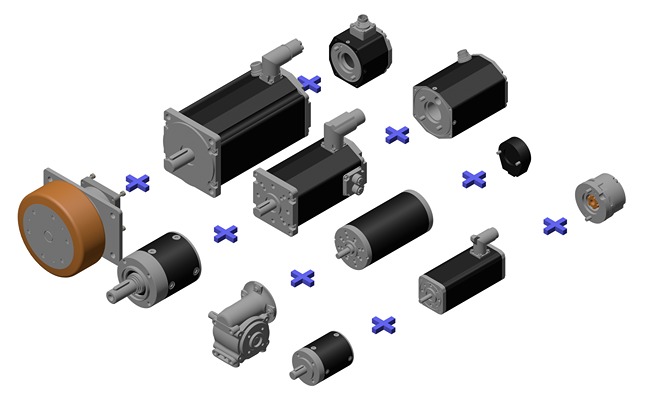
Dunkermotoren combines motor, gearbox, encoder, brake, controller and communication interface within one coordinated modular system . This makes it possible to configure the complete drive according to the mechanical, electrical and CANopen communication requirements of the application.

BLDC Servo Motor

Scalable power and voltage variants

Gearbox

Torque and speed adaptation

Encoder

Feedback for controlled motion

Brake

Holding and stopping functions

dPro Controller

Integrated or external electronics

CANopen

CiA 301 and CiA 402 communication

Dunkermotoren modular drive system with BLDC servo motors, gearboxes, encoders, brakes and integrated or external control electronics Modular CANopen drive solution
Get Started

Find the right CANopen drive architecture for your machine.

Self-Service Configuration

Know what you need? Combine your CANopen motor with matching planetary gearboxes, encoders, and brakes in just a few clicks.

Expert Consultation

Need help choosing between an integrated dPro motor or a modular dCore configuration? Our application team is ready to assist.

FAQ: CANopen Servo Drives

  • What is CANopen and how is it used in servo drives?
    CANopen is a standardized communication system based on the CAN network. In servo drive applications, it defines how a controller configures, enables, controls, monitors and diagnoses a motor or drive.

    CANopen adds communication services, device states, an object dictionary and standardized device profiles to the underlying CAN technology. This allows the controller to exchange target values, actual values, parameters and diagnostic information with compatible servo drives through a defined interface.
  • What is the difference between CAN and CANopen?
    CAN defines how messages are transmitted between devices, while CANopen defines the meaning and handling of those messages.

    A basic CAN network does not specify which message contains a target velocity, how a drive is enabled or how parameters are accessed. CANopen provides this higher-level structure through standardized communication objects, network management, device profiles and an object dictionary. This reduces the need for proprietary message definitions and device-specific integration logic.
  • What is the difference between CiA 301 and CiA 402?
    CiA 301 defines the CANopen communication profile, while CiA 402 defines the functional behavior of drives and motion-control devices.

    CiA 301 covers fundamental communication mechanisms such as the object dictionary, Process Data Objects, Service Data Objects, Network Management and diagnostic communication. CiA 402 builds on this foundation and standardizes the drive state machine, Controlword, Statusword, operating modes, setpoints and actual values for servo drives, frequency converters and stepper motor controllers.
  • Which motion-control functions can a CANopen servo motor support?
    A CANopen servo motor can support velocity, torque, positioning and homing functions, depending on the drive implementation and selected product.

    CiA 402 defines standardized operating modes and parameters for motion-control devices. The machine controller selects the required operating mode, transfers the corresponding setpoints and receives actual values and status information from the drive. Compatible Dunkermotoren drives provide CANopen control for tasks ranging from basic speed control to intelligent positioning sequences. The exact functions depend on the motor, controller, encoder and firmware version.
  • What are PDOs and SDOs in CANopen?
    PDOs transmit time-critical process data, while SDOs provide confirmed access to parameters in the object dictionary.

    Process Data Objects, or PDOs, are typically used for Controlword, Statusword, target position, actual velocity and similar values required during machine operation. Service Data Objects, or SDOs, are primarily used to configure communication parameters, motion settings, limits and diagnostic data. This separation makes cyclic communication efficient while preserving structured access to the complete drive configuration.
  • What is PDO mapping and why is it useful?
    PDO mapping defines which CANopen objects are exchanged as process data between the controller and the drive.

    Relevant drive values can be assigned to Receive PDOs or Transmit PDOs. For example, a Receive PDO can contain the Controlword and target velocity, while a Transmit PDO can return the Statusword and actual velocity. This allows the process-data structure to focus on the information required by the application, helping to reduce unnecessary bus traffic. Available PDOs and mapping options depend on the selected device and firmware.
  • How is a CANopen servo drive commissioned?
    A CANopen servo drive is commissioned by configuring the physical network, Node ID, bit rate, device parameters, process data and drive operating mode.

    The EDS file and object dictionary provide the information required by the CANopen engineering tool. Parameters are normally configured through SDO access before the node is placed into its operational communication state. PDOs are then used for process data, while the CiA 402 Controlword and Statusword guide the drive through the required enable sequence. Dunkermotoren Drive Assistant 5 supports commissioning, parameterization and analysis of compatible CANopen drives.
  • Can a CANopen drive operate without continuous commands from the controller?
    Yes, compatible intelligent drives can execute locally stored motion profiles or application logic without receiving every individual movement step from the CANopen controller.

    The central controller can define machine states, transfer parameters and coordinate the overall application, while the drive handles selected motion sequences locally. Compatible Dunkermotoren motors and controllers can also use MotionCode for application-specific logic directly at the drive. This can reduce cyclic communication, simplify the central controller program and support modular machine architectures. Product-specific functionality must be checked for the selected dMove or dPro version.
  • Is CANopen suitable for functional safety and Safe Torque Off?
    Standard CANopen is not automatically a safety-rated communication system. Safe Torque Off must be implemented and validated as part of the machine’s complete functional safety concept.

    STO prevents a compatible drive from generating motor torque when the safety function is activated. Selected Dunkermotoren dPro solutions integrate STO at drive level while allowing the control electronics and position information to remain active. CANopen Safety exists as a separate specification, but it must not be confused with standard CANopen communication according to CiA 301 and CiA 402.
  • Why should machine builders choose CANopen instead of Industrial Ethernet?
    CANopen is a strong choice when the application requires robust embedded communication, compact process data, standardized drive control and economically available network components.

    It is particularly suitable for decentralized machines, mobile equipment and applications with moderate data volumes. Industrial Ethernet may be more appropriate for large data volumes, very high node counts or tightly synchronized multi-axis systems. CANopen remains widely used in areas such as agricultural technology, medical equipment, railway applications and mobile machinery because it combines a mature ecosystem with flexible configuration and standardized device access.